What's New in Propel Rx 1.1 HF2
Please see below for fixes and enhancements included in the Propel Rx 1.1 HF2 release.
Fixes
 Attachments and Scanning
-
A prompt should appear in Rx Detail if a new prescription image has not been attached for prescriptions reauthorized from a hold. This is contingent on the Scanned Image preference being set to Prompt or Always.
Automated Dispensing
-
Errors should not appear on the Synmed machine due to long Group names.
-
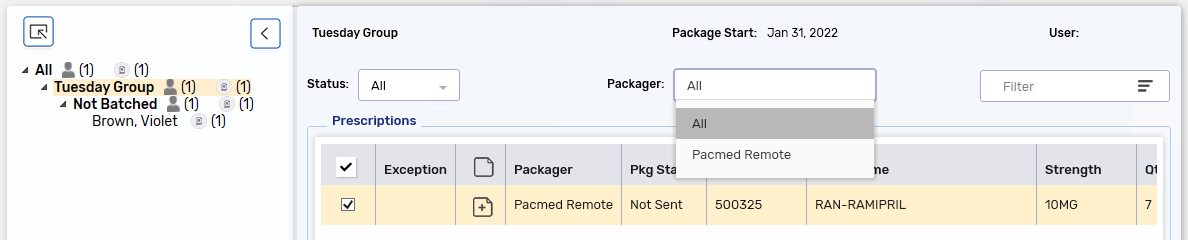
When a Group or patient is selected in the Compliance Automated Packaging window, the Status and Packager dropdowns are now available.
Digital Workflow - Dialogue
-
The Status column should appear in the Dialogue tile.
Inventory
-
Inventory should update after filling or cancelling a prescription, regardless if the Drug Folder is open in a different session or computer.
-
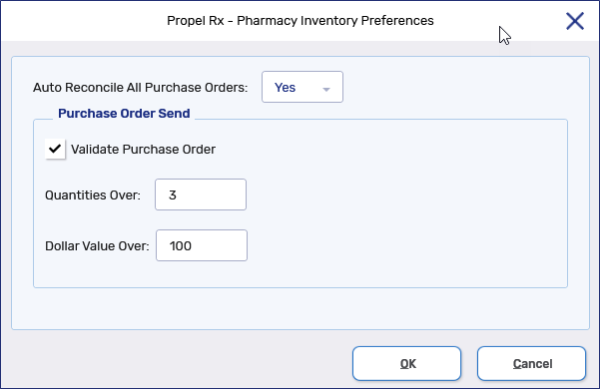
No errors should occur when searching for purchase orders by Order Date.
 Labels
-
Labels should print for prescriptions with quantities less than 1 and a Split Qty specified in the Rx Detail Extended tab.
-
The Print button should be enabled when prescriptions with different Statuses are selected on the Patient Profile.
List Maintenance
-
The SIG list can be printed by selecting Ctrl + P on the keyboard.
Patient
-
A postal code prompt should not appear when creating or using a Patient Folder, if the field is not flagged as required in Pharmacy Preferences.
Patient Centre
-
The Validate Rx button should not change to Sign Rx if the user moves from Technical Validation to Clinical Review and back.
PrescribeIT®
-
The PrescribeIT® button should be enabled in the Authorization Request Form window, regardless if there is a complete fill in the Audit History or not.
-
Authorization Requests can be sent or printed for incomplete prescriptions.
Prescription
-
The MR Code field in the Rx Detail Extended tab should be enabled for queued and incomplete prescriptions.
-
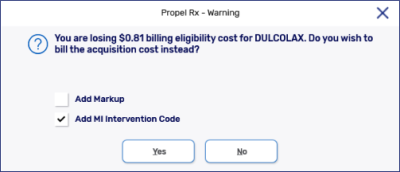
When billing to ODB outside of a Batch, Propel Rx should display an acquisition cost prompt when applicable for the prescription.
-
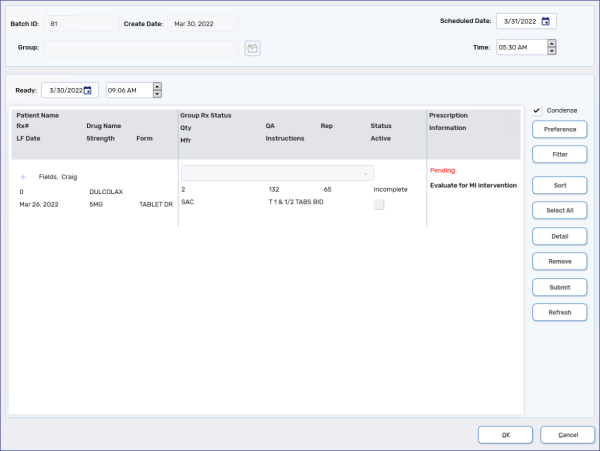
If a Batched prescription was previously billed to ODB with the acquisition cost and MI intervention code, an indicator should appear in the Batch Profile window to evaluate for a possible MI intervention.
-
An error in Rx Detail should not occur when a prescription is Refused from the Claim Summary window.
-
The Refill button should be disabled in the Intake Duplicate Checking window if the prescription on the Profile has no Refills remaining.
-
The Vacation Supply designation should not carry over for Refills.
-
The Pack Size and On Hand should display in the Intake window if a drug is selected from the Drug Search window or Patient Profile.
Reports
-
The dose for the third medication on the left of an Ecolopharm 8.5x11.14" Compliance Dosett Grid should print in the same font size as the other medication doses. If no dose is entered for the third medication on the left, a zero should not print in the slots.
-
When the dosage frequency is set to Specific Day(s) of the Week, an asterisk should not appear in each Passtime slot on the Compliance Preparation Log.
Security
-
Inactive users should no longer appear in the Security window. The initials for inactive users can be reused for new users.
Other
-
If the following Search grids are rearranged, the cursor should default to the first column: Doctor, MD Match, Patient, Patient Third Party, Drug, Group, and Supplier.
-
The tabbing order in the Patient Folder, Mixture Folder, and Claim Summary window have been enhanced to follow a more logical row by row sequence.
Manitoba
-
An EDS indicator should print on the Official Receipt if the prescription is billed to Manitoba Health or Manitoba Blue Cross with an ED or EP intervention code.
Saskatchewan
-
Refusal to Fill prescriptions should appear in Audit History with a Status = Refusal, Price = $0, QD = last fill, and REM = last fill.
-
Cost and Fee should not appear on the Official Receipt.
Enhancements
Attachments and Scanning
-
A free form Description can now be entered for any attachments.
Automated Dispensing
-
The following columns have been added to the Workbench and Compliance Automated Packaging window: Group, Area, Cycle, Floor, Room, and Wing. These columns can be used for filtering and sorting.

Digital Workflow - Packaging
-
The SIG and DS has been added to the Packaging window.

-
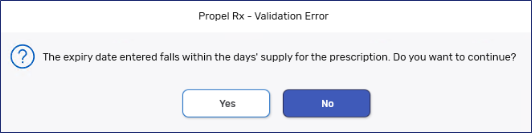
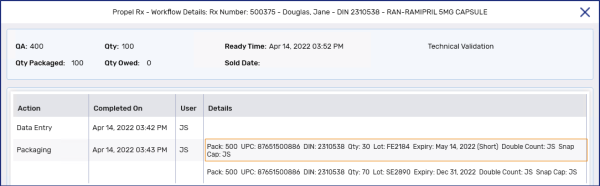
Pack sizes that expire before the Days Supply of a prescription has elapsed, can now be packaged. A validation prompt appears that warns users of the short expiry date. If Yes is selected, Packaging can continue. The Workflow Details indicates '(Short)' beside the expiry date.
Digital Workflow - Technical Validation and Clinical Review
-
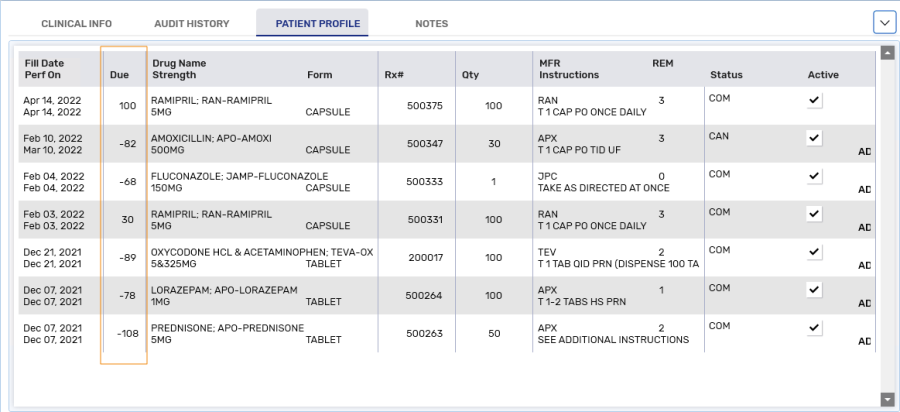
A Due column has been added to the Patient Profile tab in Technical Validation and Clinical Review.
Digital Workflow - Dialogue
-
If E-Dialogue is set to New in Workflow Preferences, reauthorized prescriptions should no longer default to Dialogue Required.
Digital Workflow - E-File Copy
-
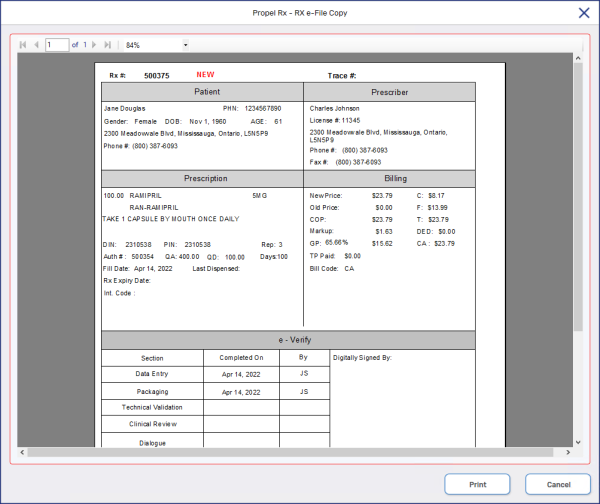
The e-File copy can be generated any time after a prescription is filled. The e-File copy will no longer attach automatically to the prescription. Instead, it can be generated on demand by selecting Rx > Rx E-File Copy from the Workbench, Patient Profile, Rx Detail, Packaging, Technical Validation, Clinical Review, Compliance Automated Packaging window, and Pick Up/Delivery Workbench. The Rx E-File Copy can be printed.
-
The e-File copy can be generated for cancelled prescriptions by selecting Rx > Rx E-File Copy.
Drug - Pictures
-
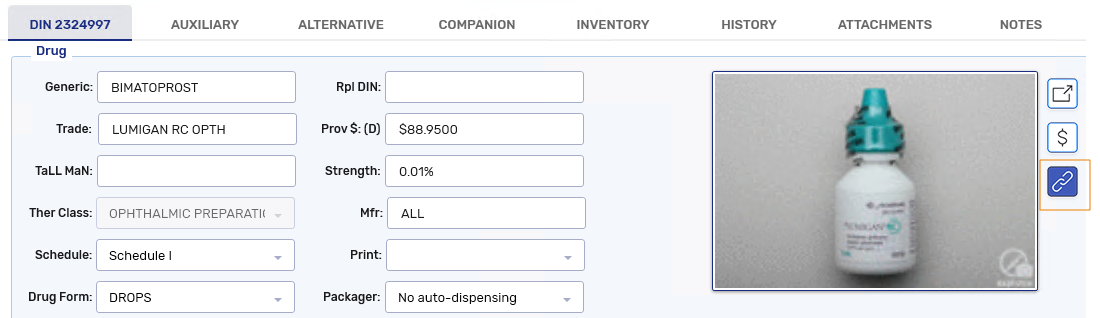
A link to the Rx Vigilance website has been added to all drugs in the Drug Folder, Rx Detail, Packaging, Technical Validation, and Clinical Review. Selecting the link opens the Rx Vigilance page for the drug which includes the most up to date drug picture.
Patient Centre
-
The following fields have been added to the Prescription section of Dialogue: QA, QD, DS, Rep, and Last Fill.
 Pharmacy Preferences- Workflow
-
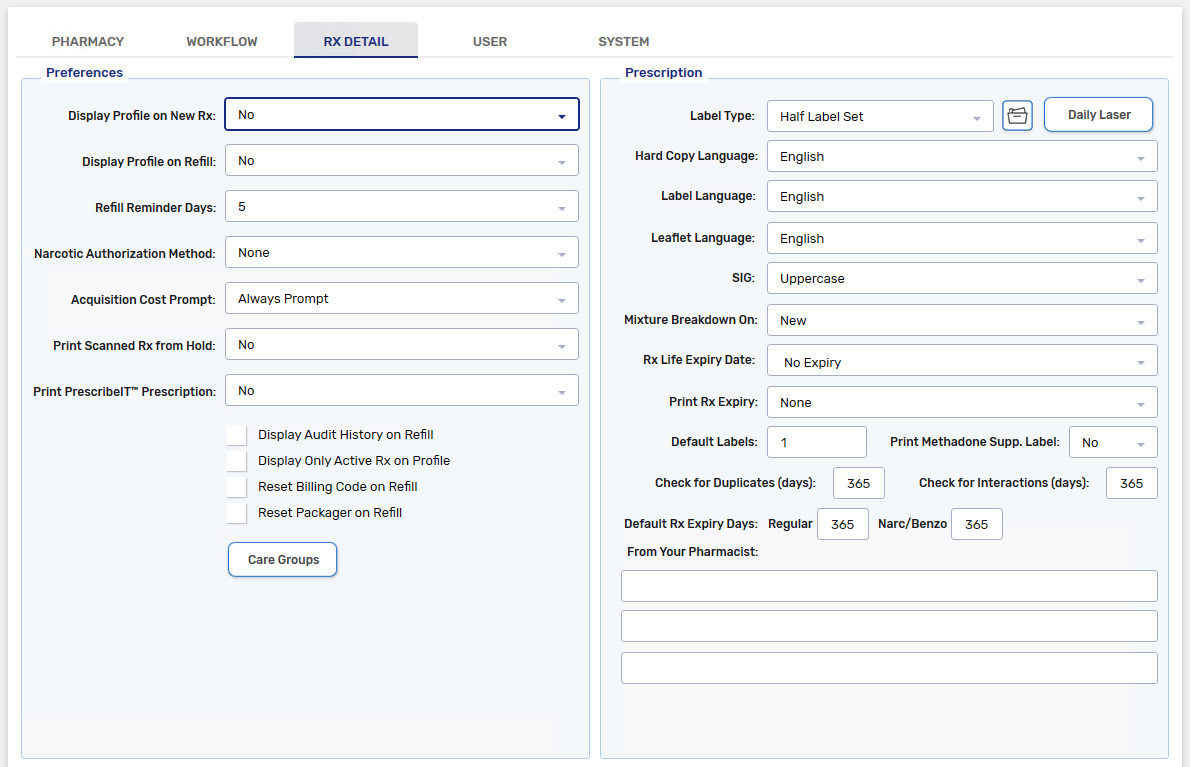
A 4 hours Ready Time has been added to Workflow Preferences.
PrescribeIT®
-
The AuthRequest button is now available in Rx Detail for PrescribeIT® prescriptions.
Prescriber
-
The postal code is no longer a required field when creating a Prescriber Folder.
prescription - Authorization Requests
-
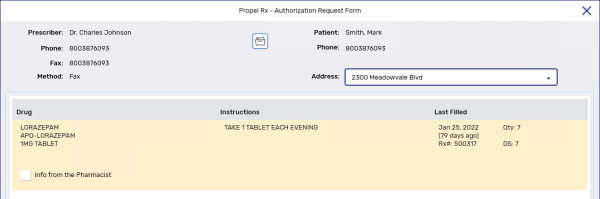
The prescriber's address has been added to the AuthRequest window. A different address can be selected in the window for printing or faxing.
Prescription - Intake
-
A ReAuth button has been added beside the Refill button in the Intake Profile window. When Refill or ReAuth is selected, a R (Refill) or RA (reauthorization) indicator appears beside the prescription and the prescription is added to the Intake window. Multiple prescriptions can be selected for Refill or ReAuth.
-
A Clear and Clear All button has been added in the Intake Profile window. When one or more rows is selected, the Clear or Clear All button resets the R or RA indicators on the prescriptions.
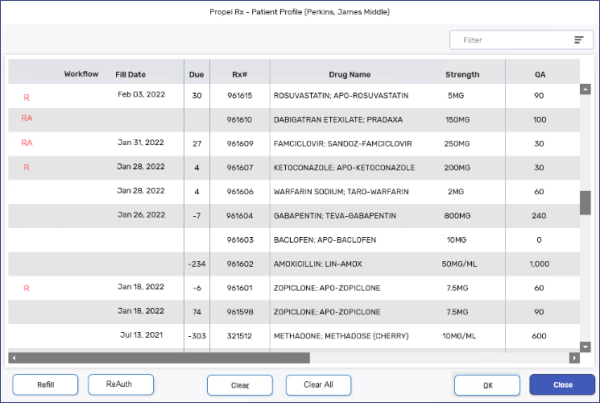
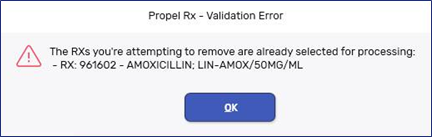
If you select rows for Refill or ReAuth and select OK, you cannot clear the indicators if you return to the Profile window. The following error appears if you attempt to manually clear a previously selected row.
-
Attachments added in the Intake window should be attached to all prescriptions selected for ReAuth in the Intake Profile window.
The image does not attach to prescriptions selected for Refill from the Intake Profile window.
If multiple patients are entered in the Intake window, the attachment for the current patient in the Intake window should be added to the prescriptions selected for ReAuth.
-
prescriptions selected for ReAuth in the Intake Profile window should pre-populate with information from the previous fill, including: Prescriber, QA, Qty, SIG, DS, and Rep.
You do not need to zero out the QA to create the ReAuth. The QA is auto-populated based on the last fill.
For PrescribeIT® and web Refill prescriptions, the notes are carried over for the ReAuth.
-
For each PrescribeIT® prescription, only one prescription can be selected for ReAuth from the Intake Profile window. The image and notes for the current PrescribeIT® prescription should be attached to the ReAuth.
If the PrescribeIT® prescription has an associated Previous Rx ID value, Propel Rx should pre-select the prescription to reauthorize in the Profile window. If there is no Previous Rx ID on the PrescribeIT® prescription, no prescription should be pre-selected in the Profile window.
-
Copy Rx in the Intake window should copy the image and notes to the new prescription.
-
The Remove Image button is available in the Intake window for all prescriptions that were reauthorized from the Profile window or copied using the Copy Rx button.
-
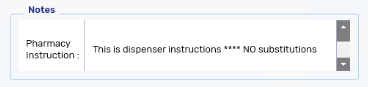
If the Remove Image button is used for a PrescribeIT® prescription, the Pharmacy Instruction Notes should also be removed.
 ) is now available for prescription - Park
-
The default reason for parking a prescription is now blank.